> For the complete documentation index, see [llms.txt](https://docs.diracinc.com/llms.txt). Markdown versions of documentation pages are available by appending `.md` to page URLs; this page is available as [Markdown](https://docs.diracinc.com/release-notes/buildos-changelog.md).
# BuildOS Changelog
This page details the key releases of BuildOS and the features and functionality included
## Modular Subassembly Instructions
> *Divide work across your team and create all your instructions from a single upload!*
>
> *July 27, 2026 - V1.62.0*
Creating work instructions for complex products just got significantly faster — now subassemblies get their own instructions! With Modular Subassembly Instructions, you can break out all subassemblies of a top level component into their own instructions.
#### Easy to divide work across your team
When you upload your CAD file, BuildOS marks parents as Phantoms. Simply choose which subassemblies should be given their own instructions, and convert them to Subassemblies to give them their own instruction.
#### Automatic Assembly Detection
No more creating duplicate instructions! If you create a new instruction, BuildOS recognizes if an instruction already exists for that component, preventing you from potentially recreating instructions you already have.
You can also automatically detect what instructions exist for the components in your assembly by using the **Detect subassemblies** functionality!
#### Quick navigation through hierarchy
You can quickly navigate to subassemblies in your top level project by right clicking and selecting **Go to Subassembly**.
If you have a Subassembly which you want to bring into your top level instruction, you can quickly **Unlock the subassembly** to bring it in.
***
## Viewer Overhaul, Cable Routing & Smart Match
> *Three big upgrades: a rebuilt 3D viewer, cables routed right on your model, and one-click matching for repeated groupings!*
>
> *July 22, 2026 - V1.61.0*
### Viewer Overhaul
#### A smoother, more powerful viewer
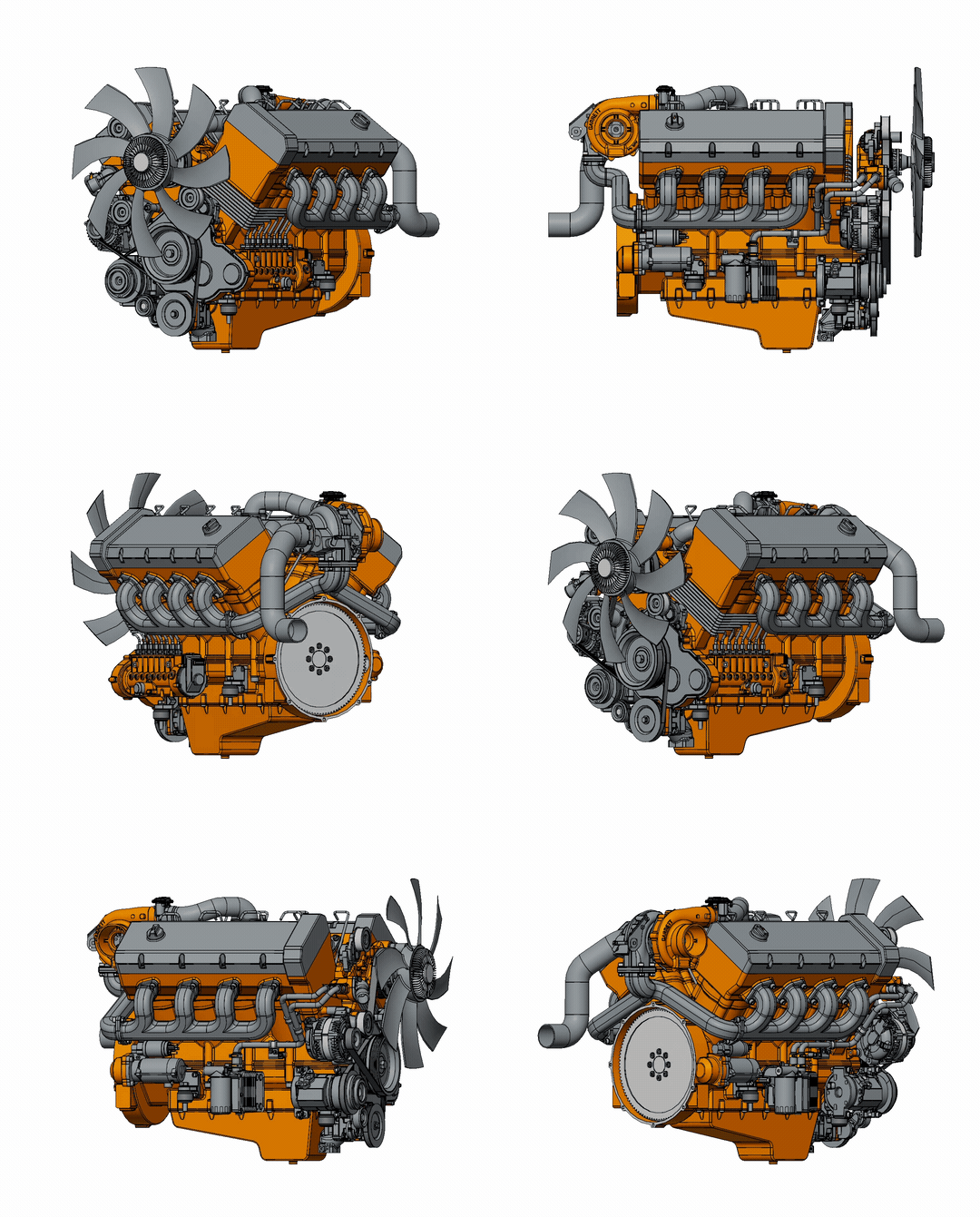
We overhauled and upgraded the viewer at the core of BuildOS, tuning it specifically for work instructions. Large assemblies that used to struggle now open reliably, and everything stays smooth and responsive while you work, even on tablets. This upgrade also lays the groundwork for a wave of new 3D capabilities coming soon.
#### Smoother, better animations
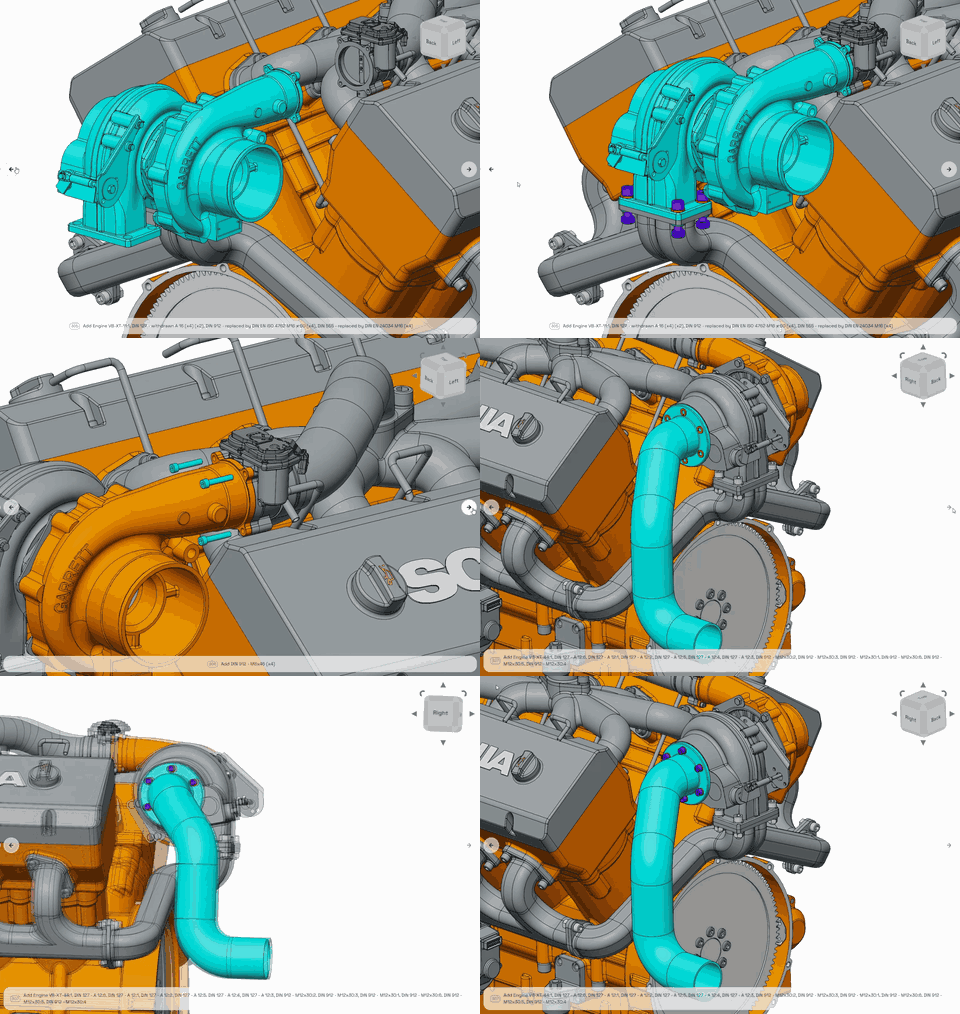
Animations are where you'll feel the difference most. Part movements glide instead of stutter, and the camera now sweeps smoothly between perspectives rather than snapping. Stepping through an instruction feels fluid from the first step to the last, on desktops and shop-floor tablets alike.
#### Colored section views
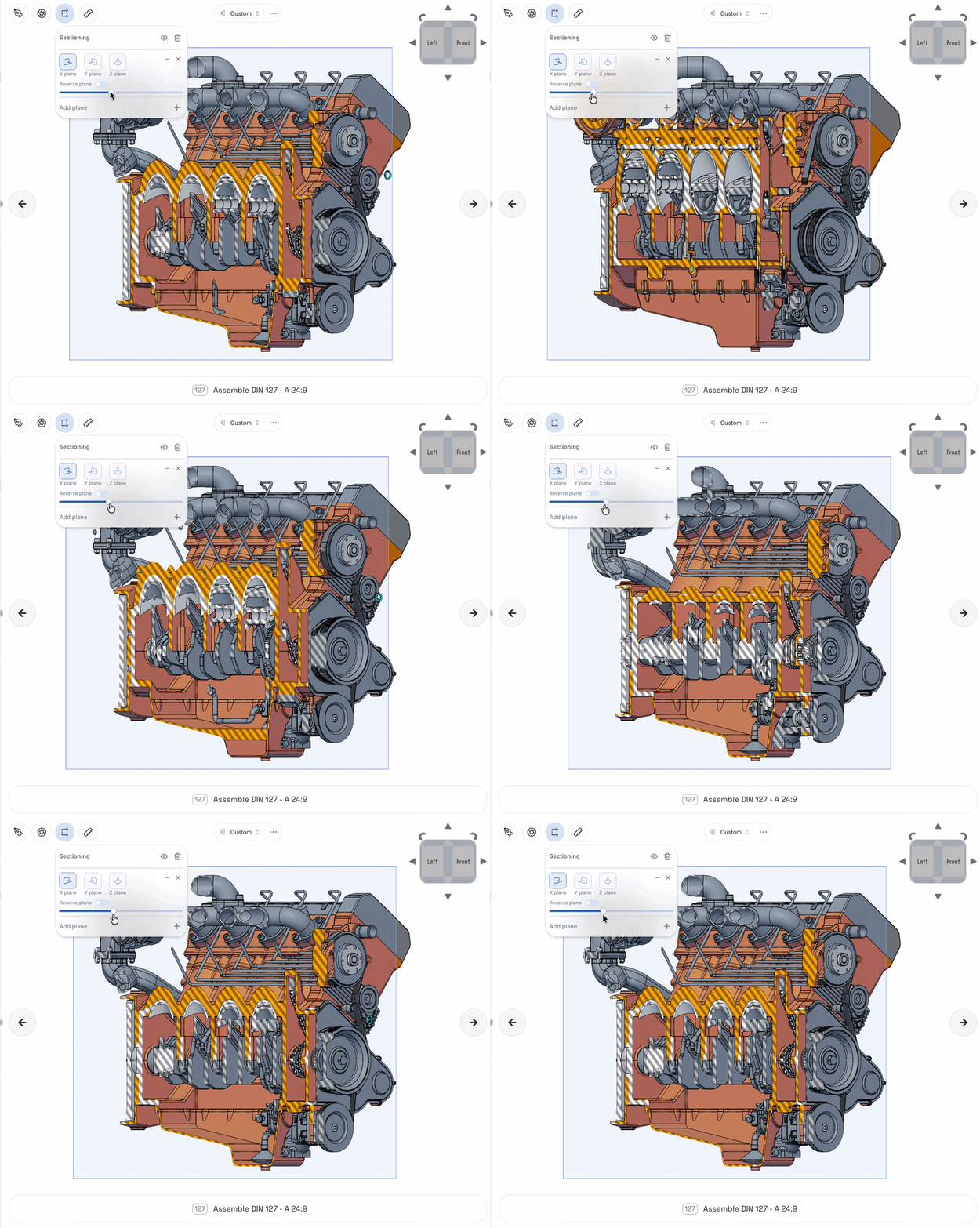
Section views got the same upgrade and now bring color to the sectioned faces. Slicing through a model to reveal internal structure is smoother and more responsive, and parts stay crisp while you cut, with cleaner, anti-aliased edges throughout the viewer.
#### Smarter camera controls
A pivot marker now appears while you orbit, so you always know what you're rotating around. The view cube works like a full CAD cube: click a face to snap to it, or use the arrows to step the view around. We also added trackpad-friendly shortcuts for everyone working without a mouse.
#### Drag selection
Selecting parts one click at a time is a thing of the past. Hold **Alt** and drag a box around any region of your model, and everything it touches gets selected, with parts highlighting live as you drag so you can see your selection take shape. Need to fine-tune? **Alt + Ctrl** adds to your selection, and **Alt + Shift** carves parts out. It only grabs what's visible on screen, and whatever you select in 3D is instantly selected in the tree and BOM too.
#### Configurable viewer settings
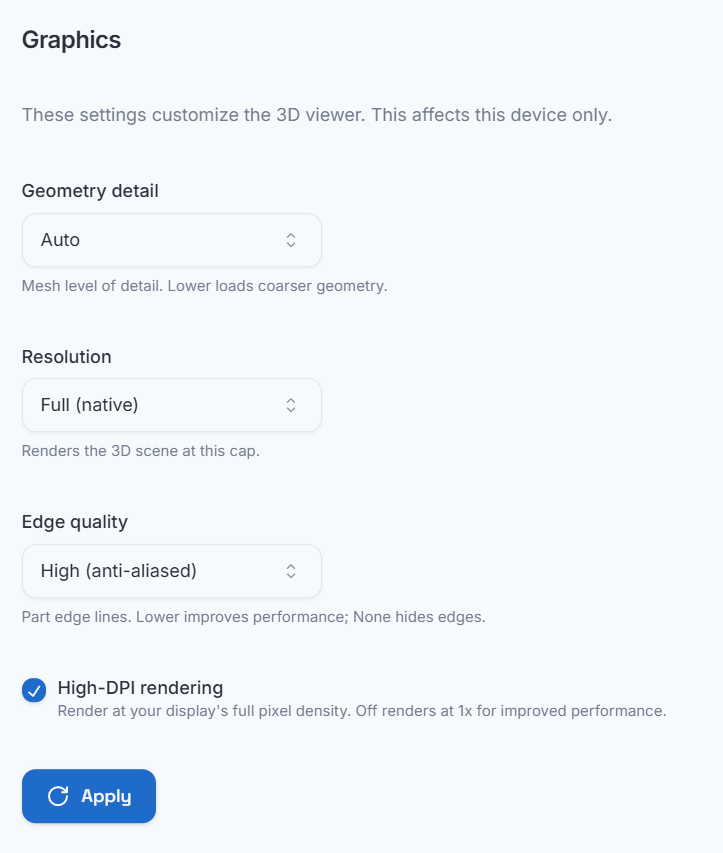
BuildOS now lets you modify the in-browser resolution, tuning it up or down to fit your system and internet constraints. Prefer not to think about it? An automatic option picks the right display settings for you. Both live in the settings menu.
### Cable Routing
Until now, cables lived outside BuildOS, drawn in other tools and re-embedded into instructions as static images. No more. With Cable Routing, you draw wires right on your CAD model, and they become real parts: in your tree, on your MBOM, and in your exports.
#### Draw it
Select **Create wire routing**, pick a wire type from your team's shared library, or define a new one with a part number, gauge, and color, then click along your model to place the route. Gauges work in AWG (including 1/0 through 4/0), mm², or kcmil. Wires render at their true gauge thickness in their actual color, and each point you place sits flush on the surface instead of sinking into the part. Misclick? Undo is one tap away.
#### Refine it
Right-click any wire and choose **Edit wire mode** to reshape the route: drag a point to move it, click along a segment to add one, or remove the ones you don't need. Control points stay hidden outside of editing, so finished routes look clean.
#### Put it on the BOM
Wires roll up automatically on your MBOM by color and gauge, with total length computed live from the routed geometry. When the real manufacturing quantity differs from the modeled route, use **Edit BOM length** to enter a manual length; the computed route length stays visible as a reference.
#### Take it everywhere
Your exports know about wires too. PDF and Word instructions include per-step wire tables with gauge, length, and color, plus a wire bill of materials; the Excel MBOM export gains a dedicated Wire MBOM sheet; and routed wires appear in PowerPoint exports and exported viewer images.
### Smart Match
Love auto-clustering? Now it works on any selection of parts. If you've ever built the same grouping over and over, the same bracket, the same fastener stack, the same sub-module repeated across a model, there's finally a better way. Group a set of parts once, and Smart Match scans your entire model for every other place that same group exists, no matter how large the assembly, then proposes matching groupings everywhere they belong.
#### Three easy steps
1. Create a grouping of parts (kit, cluster, subassembly, or combination).
2. Run **Find identical groupings** and let Smart Match do the searching.
3. Review the proposed changes and apply.
#### Nothing changes until you say so
Smart Match shows you every grouping it wants to create, update, or dissolve, and applies them only once you approve. You get the speed of automation with none of the guesswork.
***
### Automatic Kit/Cluster Naming, Cluster Subs/Combos, Instruction Expansion, Faster Paths
> *Several quality of life updates to make work instructions authoring even easier!*
>
> *May 29, 2026 - V1.50.0*
#### Automatic Kit & Cluster Naming
Kits and clusters now name themselves from the parts inside them! Rename a part and its kit or cluster updates instantly to match, so you're never cleaning up stale labels by hand. Similar names stay distinct too, so "Bolt A" and "Bolt B" don't merge into one.
#### Clustering for Subassemblies & Combinations
Clustering now goes beyond individual parts to group repeated subassemblies and combinations. When the same sub-group shows up more than once (say, four identical hinge assemblies), BuildOS folds them into a single cluster for you. Tidier tree, honest part counts!
#### Expand Kits & Clusters in Instructions
Need to see exactly what's inside a kit or cluster on a step? Flip on Expand kits/clusters on instructions in the tree options menu and every part appears inline, allowing you to quickly reorder or add requirements!
#### Faster Simulation
We made our physics simulation dramatically faster! Models that used to take hours now finish in a fraction of the time, so ordering suggestions, animations, and everything downstream are ready moments after you upload!
***
## Effectivity & Change Summary + Annotation Only Mode
> Capture what you changed, enforce when it's effective, and add tailored visuals!
>
> *April 30, 2026 - V1.47.0*
#### Effectivity
When you create an instruction, you can now control it’s effectivity! Simply enter the start/end dates ensures that everyone else on your team knows the effectivity of a given instruction.
Effectivity is enforced for Operators performing instructions! Before starting a run, operators see a clear status on the instruction’s effectivity. If they are out of the period of effectivity, they can view the instruction but not perform a run of it.
Effectivity dates also flow through to your exports, so the context stays attached to the revision wherever it goes.
#### Change Summary
You can now write a **Change Summary** between revisions — describing what's new in this revision. This is useful for tracking, and communicating to reviewers what’s new.
This change summary is also displayed to Operators when they open an instruction, ensuring they’re kept up to date with changes to instructions!
#### Annotation Only Mode
Further enhancing Instruction steps is the ability to hide the 3D visuals on Instructions view! This is perfect for when you only want to display images in a step to communicate the steps direction.
When you have an Instruction step in your tree, simply toggle on-off the 3D visuals as you choose!
***
## Drag Selection while BOM Filtering
> Faster multi-part selection while filtering the BOM
>
> *April 16, 2026 - V1.45.0*
You can now **click and drag in the viewer** to select multiple parts at once — no more clicking them one by one! Use the alt key while filtering by the BOM to start drag selecting
Drag select is only enabled when the **BOM is filtered**: allowing you to select a group of parts in a single motion. It's an even faster way to build clusters for repeated hardware, fasteners, or any set or small parts that used to be time-consuming to pick.
***
## Reviewer Seat & Comments & Enhanced Media Visuals
> Two updates to BuildOS now allow you to collaborate on instructions with comments, and also adds the ability to position media in your instruction visuals!
>
> *April 13, 2026 - V1.44.0*
#### Reviewer Seat and Comments
You can now leave comments during review, and reply to work through feedback on instructions!
Comments live in the Review panel, where you can see the comments for the step you have selected and all others your instruction.
We have also added a Reviewer seat, so you can give non-engineers the ability to review an instruction and leave comments.
#### Enhanced Media Visuals
You can now add media directly into the visuals of your instructions! If you have media attached to your steps, you can add it through the annotations menu!
This is perfect for adding additional visual richness to an instruction step while leveraging BuildOS’s associativity of media to parts in your instructions!
These visuals display for operators in BuildOS, and also will show up in your exported instructions!
***
## Collapsible Sidebar & Improved Export Visuals
> Two updates are now live in BuildOS to improve how you work on and export your build.
>
> *March 6, 2026 - V1.37.0*
#### Collapsible Sidebar
You can now **collapse the sidebar** in the build editor to give the CAD viewer more space.
This is especially helpful for:
* Smaller laptop screens
* Large assemblies that need more viewing area
* Focusing on the 3D step visuals while editing
The sidebar can be toggled at any time, letting you switch between navigation and full-screen modeling as needed.
#### Dimensions and Section Views in Export
Exports now include **dimensions and section views** directly in the generated images.
This means the visual context you create in BuildOS — measurements, cutaways, and internal views — now carries through into the final instruction output.
***
## Transparent Parts in Instructions & Notifications
> Two practical updates are now live in BuildOS to improve both instruction clarity and system awareness.
>
> *February 13, 2026 - V1.34.0*
#### Transparent Parts in Instructions
You can now make individual parts transparent within a step to expose internal components or clarify complex assemblies.
* Apply transparency directly in the instruction view
* Ideal for tightly packaged assemblies or hidden hardware
* Controlled per step — no CAD edits required
This makes it easier to communicate internal alignment, fastener placement, and installation order without cluttering the visual.
#### Notifications
BuildOS now provides in-app notifications for key events, including:
* Upload and export completion
* When an instruction is shared, submitted for review, or approved
* BuildOS system updates, feature releases, and maintenance notices
Notifications appear directly in the platform, so you don’t have to monitor background processes or guess when something is ready.
***
## Standard Times & Auto-Perspective
> Updates to make it easier to author clear instructions and understand how long they’ll take to complete
>
> *February 6, 2026 - V1.33.0*
#### Standard Times
You can now associate **standard times** to individual BOM components — and BuildOS will automatically calculate:
* The time to complete each **step**
* The time to build each **subassembly**
* The total time to build the full **assembly**
View standard times in the tree
You can also easily manage all of the standard times for components across your BOM, seeing all of the timing information in one place.
View all BOM components' times
When you make changes in your hierarchy, BuildOS updates time summary information automatically, allowing you to painlessly iterate on your instructions with full insight into projected cycle times!
#### Auto-perspective
BuildOS now **automatically sets the best viewing angle** for each step — so you don’t have to manually position the camera.
* Picks an optimal perspective based on selected parts
* Updates automatically when you reorder steps in the tree
Like everything else in BuildOS, when you update your hierarchy or order of assembly, BuildOS automatically updates perspectives so you are always shown the best option!
***
## Model-Based Definition Support
> *Use your MBD, seamlessly integrate design context with manufacturing.*
>
> *January 5, 2026 - V1.28.0*
You can now use **model-based defined fields in your CAD model** to drive behavior in BuildOS.
Simply map your team’s field names to those in BuildOS, and immediately take advantage.
Swap between item number and item name in the tree
* Swap between item number and item name in the tree
* Exported work instructions will reflect your item numbers automatically
***
## Measurements
> Easily indicate critical dimensions for weldments or verification to build with confidence.
>
> *January 5, 2026 - V1.28.0*
You can now add **distance and angle callouts** directly into your step visuals.
You can easily add tolerances, change dimension display size, or specify units and significant figures.
***
## Undo / Redo
> Confidently make changes with full undo and redo support
>
> *January 5, 2026 - V1.28.0*
Now you can undo and redo structural changes in your instruction tree.
* Works for adding/removing steps, reordering, and other key tree actions
* Available via standard keyboard shortcuts or toolbar controls
No more fear of making a mistake — just hit undo.
***
## Okta SSO
> You can now authenticate with Okta SSO :closed\_lock\_with\_key:
>
> *January 5, 2026 - V1.28.0*
BuildOS now supports Sign In with Okta for organizations using SAML-based identity providers!
***
## Keyboard Shortcuts
> Create instructions even faster with hotkeys ⌨️
>
> *December 23, 2025 - V1.27.0*
Power users can now move faster with a growing set of **keyboard shortcuts**.
* Includes navigation, editing, undo/redo, toggling visibility, and more
* Full list available via `CTRL + /` or in the Settings menu
***
## Saved perspectives
> BuildOS now lets you save custom perspectives — making it even quicker to create instructions⚡
>
> *December 15, 2025 - V1.25.0*
You can save a custom perspective on any step and reuse it throughout your instruction!
Simply save the current camera angle, and easily apply it to other steps in your instruction, making it easier than ever to keep perspectives consistent across your steps.
Saved perspectives menu
You can bulk-apply a given perspective to really trim down the time to get a final instruction!
Applying via right click menu
***
## Support for 3D Mouse
> Use your favorite peripherals in BuildOS 🔄
>
> *December 5, 2025 - V1.24.0*
BuildOS is now configured to work with your 3D mouse!
Simply connect your 3D mouse to BuildOS, and get access to all the degrees of rotation you need to perfect your instructions!
***
## Consumables
> Add consumables to your builds 📦
>
> *December 3, 2025 - V1.23.0*
BuildOS now allows you to add consumables to your builds!
BuildOS now lets you include consumables directly in your work instructions! Whether it’s Loctite, tape, epoxy, fasteners, adhesives, or anything operators use up during a build, you can now place it exactly where it belongs in the process.
### Global associations
Consumables can be added to parts (similar to tools and notes), and they can be applied globally so all of your instructions have the same consumables.
### Intelligent quantity management
Each consumable has a unit of measure and a default unit. "As required" can also be used for less specific applications.
You can choose a different unit in your instructions if you need to, and BuildOS will do the math to make sure your MBOM is accurate.
### Always visible in your BOM
Every consumable you add appears in your BOM right alongside your parts, tools, and fixtures. If you have different units for the same consumable, BuildOS will consolidate units so you have one BOM line item!
***
## Enhanced BOM
> Completely understand your build 📦
>
> *November 20, 2025 - V1.22.0*
BuildOS now provides an easy way to see exactly what is needed to build your assemblies!
### Introducing the Enhanced BOM
Our new Enhanced Bill of Materials brings together the full picture — parts, manufacturing structure, tools, and fixtures — in a way that’s easily navigated and gives clear insights.
### Reconciliation
BuildOS gives you a clear visual indicator when your BOM has identical components named differently in your CAD. You can now easily change your components' names with the click of a button.
No more guesswork — make sure your BOMs are accurate!
### Automatically updated MBOM
A production-ready view of all the parts and quantities you need for your build, allowing you to easily search the 3D viewer for specific components! As you make changes to your instructions, BuildOS will automatically update the MBOM, ensuring your build documents are always up to date and accurate!
### See TBOM for build
Every tool, clamp, jig, and fixture you place in your instructions appears automatically in the TBOM.
It gives operators and planners the full context they need, not just what you’re building, but **how** it’s built.
### Immediately displayed to operators
Operator+ users now see the **MBOM and TBOM the moment they start a run**, giving them instant clarity on:
* Which parts they’ll need on hand
* Which tools and fixtures they’ll need
Everything required to start a job, presented clearly, consistently, and automatically.
**Enhanced BOM** is now available for all BuildOS users. Try it today!
***
## Automatic Kit Coloring
> Clear colors with the click of a button :art:
>
> *November 18, 2025 - V1.21.0*
You can now have BuildOS automatically assign colors for parts in kits! As steps play out, every component stands out with its own color, making motion easier to see and instructions easier to follow!
### Easy coloring with a click
Simply open the Animation Editor panel for a kit, select "Auto", and watch BuildOS do the rest!
The parts inside of a kit will be given a clear color sequence, making it much easier for an operator to decipher how the parts come together in the assembly.
### Clear indications and automatic updates
You can easily see the color sequence when you have automatic coloring applied.
If you update the sequence inside of a kit, BuildOS will maintain the same coloring sequence, making sure your instructions are always consistent!
***
## Fixtures
> Show YOUR tooling, next to YOUR assemblies ✅
>
> *November 3, 2025 - V1.20.0*
You can now upload and place **fixture models** directly into your work instructions. These appear alongside your assembly steps and show operators how parts are supported, held, or aligned during the build.
This is perfect for processes that require:
* Locating jigs
* Custom clamps
* Positioning rigs
* Inspection fixtures
Operators will see when fixtures are installed and removed — keeping the visuals accurate to the way work actually gets done.
#### Simple to add, easy to reuse ⚡
Gone are the days of asking “Which fixtures do we have down there?” or “Do you have the CAD for that?”
BuildOS keeps track of all your fixtures, allowing you to easily re-use the same fixture across multiple instructions! Fixtures can be positioned per step in the 3D viewer and saved for use across instructions.
Just upload, position, and start building.
***
## Required Data
> Require the data that matters :1234:
>
> *October 16, 2025 - V1.18.0*
BuildOS now supports Engineers **requiring Operator+ users to enter data** — making it easier to capture critical information during a run, without relying on paper forms or post-run audits.
### Associative Data Capture
> Associate required inputs with specific parts — set it once and standardize everywhere
Engineers can now define required **data fields** for instruction steps — such as:
* Recording torque specs within allowed tolerances
* Serial numbers or other text
* Dates (with logic like “must be today” or “within last 5 days”)
* Numeric values (with ranges or exact values)
* Required checkboxes
Required data fields are configured within **Standard Notes**, making setup quick and consistent across runs. Operators see these fields inline during a run — no extra tabs or manual work required.
Requiring data entry is easily synchronized across all your instructions through standard notes.
### Automate Operator+ Compliance
> Automatically shown in Operator+, ensuring compliance :white\_check\_mark:
When an Operator+ user reaches a step requiring data entry, they’ll be prompted to enter the correct values — and won’t be able to complete the step until all required fields are filled out *satisfactorily.*
If a value is out of spec, the system will prompt the operator to log a non-conformance on the spot.
***
## Faster Animations and Smarter Uploads
> Blazing-Fast Animations and Smarter Uploads — Two upgrades to speed up your path to production ⚡️🚀
>
> *September 22, 2025 - V1.16.0*
Today we’re rolling out two big improvements to BuildOS that cut down your time from CAD upload to ready-to-run instructions:
1. **2500x Faster Automatic Animations** – blazing-fast generation thanks to major upgrades in how we front-load animation logic.
2. **Trim Single-Child Subassemblies on Upload** – clean up noisy files right at import, with a single click.
Together, these changes make BuildOS faster, cleaner, and easier to work with — so you can spend more time building great instructions, and less time waiting or cleaning up junk.
### Lightning-fast Animations
> 2500x faster, no exaggeration ⚡️⚡️⚡️
#### We reworked the pipeline 🧠
BuildOS now pre-processes a huge portion of the logic behind your animations *before* you even ask for them — which means we can generate them up to **2500x faster** than before.
Whether you're creating instructions from scratch or tweaking a single step, animations will be ready almost instantly — without you lifting a finger.
{% hint style="info" %}
Faster animations = faster iteration = faster path to approval.
{% endhint %}
You can now see an indicator in your project which shows the status of this pre-processing, and (when it’s complete) you will automatically get animations.
### Upload Model Refinement
> Trim Single-Child Parents — cleaner trees, cleaner builds 🌲✂️
Many .jt files come with pesky single-child subassemblies — extra structural junk that doesn’t match the original CAD model and makes your instruction tree harder to manage.
Now, BuildOS lets you trim these automatically *during upload*. One toggle, and you get a tree that actually reflects your design intent.
{% hint style="info" %}
Less cleanup = less frustration = better instructions, faster.
{% endhint %}
This release continues our push to eliminate the slow, annoying parts of instruction creation — and we’re just getting started. We’re excited to keep building smarter performance and import tools into BuildOS.
***
## Section Views
> Visualize internals without changing your model :eyes:
>
> *September 6, 2025 - V1.14.0*
You can now add up to three section planes to any instruction step, making showing hidden components, internal geometry, or mounting features otherwise blocked from view even easier!
Section Views are editable per step and update in real time — no exports or CAD tweaks required.
***
## Floating Seats & Multi-Factor Authentication
> Access Smarter with improved security 🔐\
> *July 28, 2025 - V1.12.0*
### **Floating Licenses**
> Share access across your team
You can now purchase *floating engineer seats* in BuildOS — allowing multiple engineers to share a single license.
Only one user can be active at a time per floating license, and multiple engineers can share the same license. Now anyone on your team can sign in when they need to get work done.
{% hint style="info" %}
"Great for rotating shifts, occasional contributors, or cross-team collaboration."
{% endhint %}
### **Multi-Factor Authentication (MFA)**
> Stronger protection for your account
MFA is now available for *all* users.
When enabled from your Team Settings, you’ll sign in with your username + password *and* a time-based code from an authenticator app — giving your account an extra layer of security.
{% hint style="info" %}
"Keep your designs, data, and documentation safe — with modern authentication baked in."
{% endhint %}
***
## Design for Manufacturability (DFM)
> Checks — Catch issues before they hit the floor 🛑🔍
>
> *July 4, 2025 - V1.11.0*
### **Clash Detection**
> Identify impossible assembly steps and overlapping parts in your model automatically.
This feature brings manufacturing-awareness early into your instructions — so you can catch critical issues early and fix them fast.
#### Spot overlapping parts instantly
BuildOS now automatically scans your models for overlapping parts — a common modeling error that can ultimately make assembly on the floor impossible.
Problem areas are clearly marked in your tree, so you know exactly what needs to be fixed.
{% hint style="info" %}
*Stop waiting to discover bad designs on the shop floor — shift problem identification to the left!*
{% endhint %}
### Impossible step detection
BuildOS now checks every assembly step for interferences — ensuring all steps can be performed on the shop floor without issue.
Each flagged step is shown with a warning and explanation, so you can adjust the sequence or design before finalizing your instructions.
### Fully automatic
> Always updating, never slowing you down 🔄
DFM Analysis runs in the background as you build, and shows results directly in your instruction tree. You’ll know immediately if a step cannot be performed — without clicking into another tab or tool.
***
## AWS GovCloud Availability
> BuildOS is now available on AWS GovCloud :lock:
>
> *June 9, 2025 - V1.8.1*
We've made BuildOS available on GovCloud! Now you can upload your CAD models with peace of mind.
It's the same BuildOS you know, now also in a US-only cloud environment.
***
## Inline Order Preview and Automatic Animation Propagation
> Two power boosts for faster instruction creation ⚡️
>
> *June 9, 2025 - V1.8.0*
Today we’re rolling out two workflow upgrades to BuildOS that make getting from CAD to instructions faster and easier than before:
Together, these additions wipe away manually sorting and accepting BuildOS’s recommended changes, so engineers can focus on building great instructions instead of wrangling data.
### Inline Order Preview
> See, compare, decide ↕️
#### Suggestions in context 🌳
Assembly-order recommendations now appear *inside* your tree view, right where you work. Glance at each step’s proposed position without opening a separate panel.
#### Faster controls, fewer clicks 🖱️
Kick off an ordering suggestion straight from a subassembly in the tree or for your entire instruction. You can select from the following options:
* Shallow will only reorder the children of your selection
* Deep will reorder everything underneath your selection
You can easily swap between Shallow and Deep while previewing, allowing you to quickly make the changes you want to your instruction.
#### Clear diffs
Clear visual indicators flag every part that moves, showing you if it moved earlier or later in the assembly order, and how far it moved. Instantly grasp how BuildOS wants to tweak your instructions—no guesswork required.
### Automatic Animation Propagation
> Get live updates automatically 🔁
#### Automatic updates ✨
No more manually accepting new animations, BuildOS will now automatically add them when they are generated! Any step which has “Auto” selected for its animation type will automatically update the assembly visuals with new animations when they become available.
If you have custom animations, BuildOS will not override these, and the updated automatic animation will be ready for you if you choose to use it.
#### In-tree status 🌲
Now you can see the status of animations being generated for all the parts in your tree. BuildOS determines which parts need new animations as you make changes, and you can clearly see when the animations have been brought into your instructions.
We know these changes will speed up your workflows and get you from CAD to approved instructions even faster than before!
***
## BuildOS V1 Launch
> Automated work instructions
>
> *April 6, 2025 - V1.0.0*
1. **Simulation Overhaul**:
1. **Animations**: We completely overhauled how we generate animations! Our new animations are not only significantly more accurate, but calculated much faster! BuildOS also automatically determines new animations when your assembly structure and sequence changes, so the visuals are always kept accurate and up to date.
2. **Assembly Sequence Suggestions**: BuildOS now has the ability to accept recommended sequences for individual subassemblies in addition to the entire project. We also reworked the assembly sequence calculation to make it faster and more accurate, cutting down the time it takes you to create a set of instructions.
2. **Tremendous UI improvements**: We completely rebuilt our user interfaces, making them easier to use, more performant, and much easier on the eyes! We’re proud of our new UI and confident it will make your journey in BuildOS a pleasure!
3. **Improved Upload Performance and JT Support**: We made our upload services faster and much more robust, and expanded test coverage for all of our supported filetypes. We also added JT as a supported filetype!
4. **Streamlined Workflows**: We’ve completely changed the user workflow within a project on how you create instructions. Now you can make changes to your assembly’s hierarchy and immediately iterate on the instructions! You no longer have to wait for simulation results in order to create your instructions.
5. **New Assembly Steps**: We’ve improved on our instruction-specific CAD structures with the addition of Kits! Kits are groups of parts which are installed sequentially in one step. An operator no longer needs to guess on the order for a complex assembly step, as they will now see multiple parts installed in a clear and concise visual assembly sequence.
6. **Improved Application of Contextual Knowledge**: We’ve improved upon our tools, notes, and media features, and given you additional tools to control how they are applied. Now you can easily decide which items are applied to all of your instructions, which are specific to a given instruction step, and easily make changes.
7. **Architectural Upgrades**: We re-architected BuildOS for deployment into GovCloud environments. This also comes with performance and robustness upgrades, benefiting all users! Managed with Terraform, our architecture is built on Docker and leverages a microservices approach, ensuring scalability, security, and efficiency.
8. **Part Highlighting**: We added the ability to highlight parts in the 3D viewer, which shows wireframes of all other parts not highlighted. This is one of our favorite new additions which significantly improves navigating your 3D model and determining how to structure your instructions.
9. **New Annotation Tools**: We’ve improved our annotation tools, allowing you to create higher quality annotations to add important information to your instruction steps.
10. **Project Sharing**: BuildOS now allows you to control who has access to your instructions, providing for need-to-know requirements. You can also easily share your project with your whole team if you do not need to restrict access.
11. **Tool Images**: No more guessing if you have the correct tool! We’ve added the ability to add tool images in your library, giving your operators clear direction to follow the instructions.
12. **Support**: We have streamlined our internal support workflows. We’ve taken extra care to ensure it is given proper visibility to our engineering teams to significantly reduce turnaround times to resolving your issues.




.gif?alt=media&token=63fb23ef-693c-4246-b73a-a9b5c08a7f8b)


.gif?alt=media&token=7f39719d-d76d-4642-871a-4bc7da034985)


.gif?alt=media&token=1746eba4-7de8-45b4-ae30-79dc5e843943)


.gif?alt=media&token=8aa7befa-ab61-4ee9-a0df-15a215aaf18d)


